Surat Warga
Surat Warga
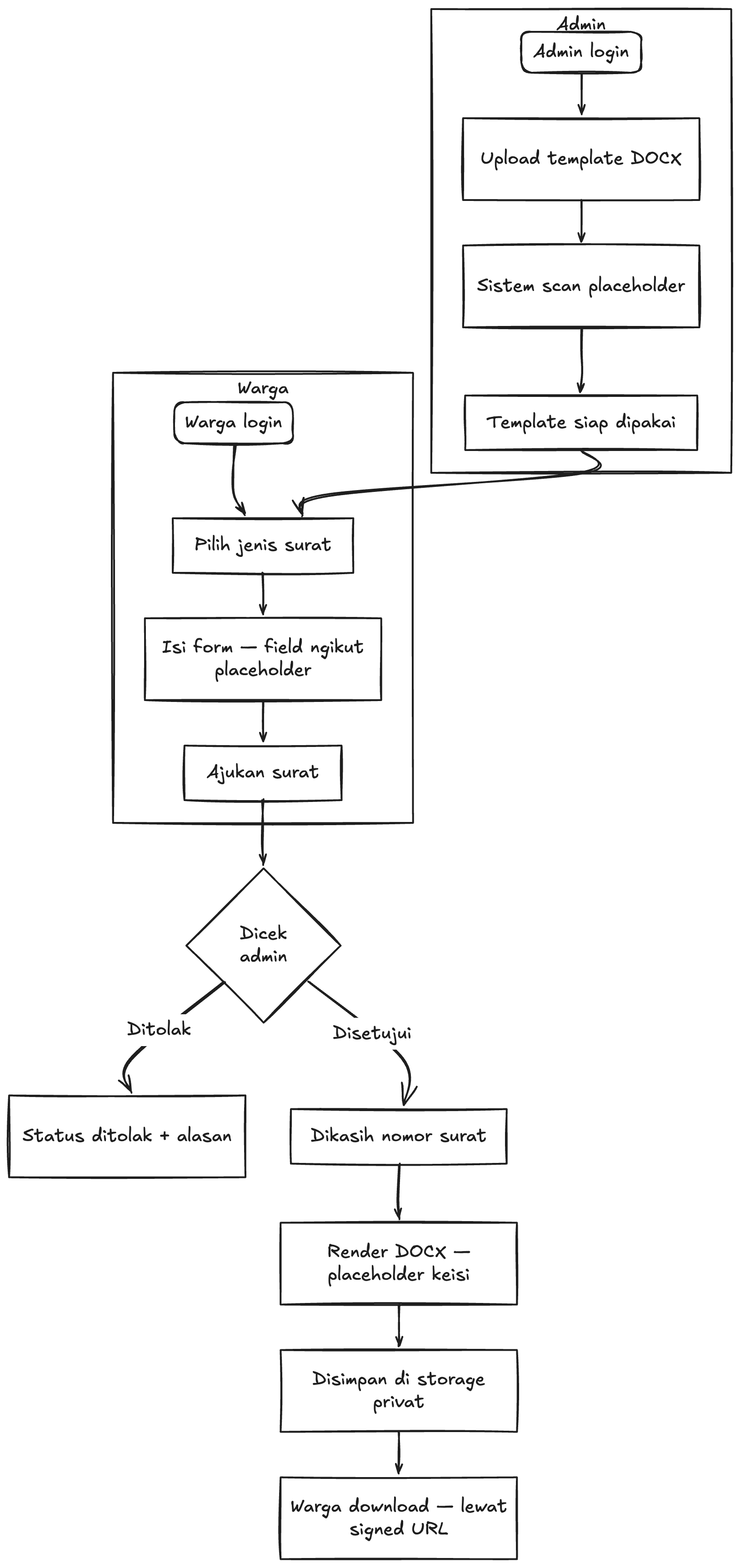
Getting an RT/RW letter usually means finding the right person at home, twice. The interesting part of the build is the template: an admin uploads a DOCX, the app scans it for placeholders, and those placeholders become the exact fields a resident has to fill in, so adding a new kind of letter needs no code change.
What it does
- Template CRUD that auto-scans the DOCX for placeholders.
- Request forms generated from whichever template the resident picks.
- Approve / reject flow with letter numbering and a status trail.
- Finished documents kept in a private bucket, handed out via signed URLs.
How it fits together
- Step 1Template
- Step 2Request
- Step 3Review
- Step 4Document
Diagrams
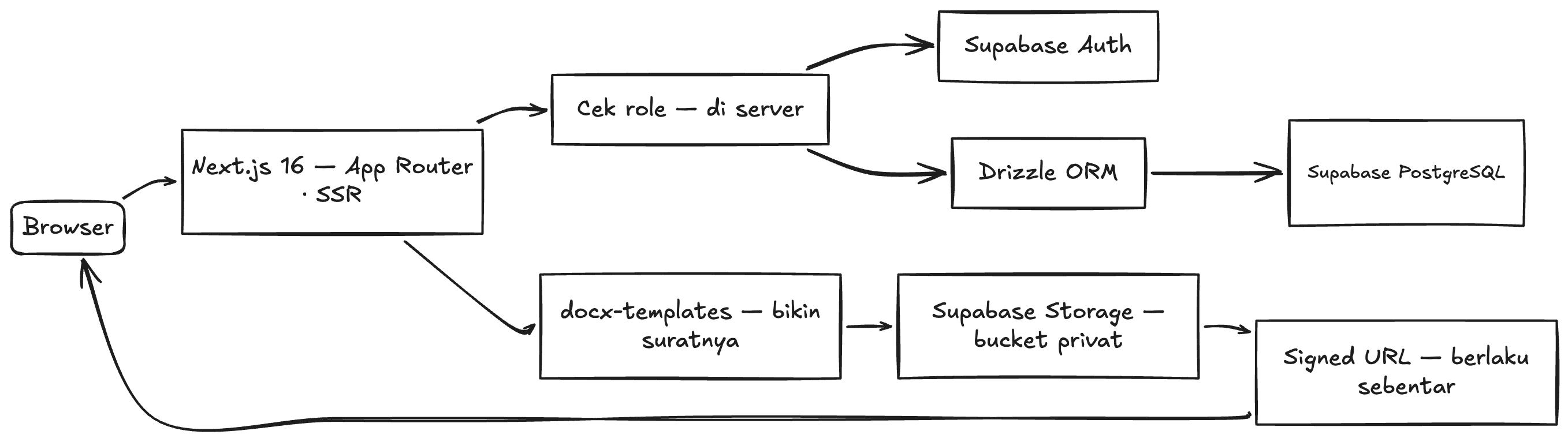
How the product behaves, and how the pieces behind it talk to each other.
Stack
- Next.js 16 (App Router, SSR)TypeScript
- Tailwind CSS v4shadcn/ui
- Supabase PostgreSQLDrizzle ORM
- Supabase Auth + role guardSupabase Storage
- docx-templatesmammoth
Worth noting
- Placeholders are read out of the DOCX itself, so adding a letter type is an upload, not a deploy.
- Finished letters sit in a private bucket; every download is a short-lived signed URL.
- Role rules are enforced on the server, not just hidden in the interface.
Next up
- Resident flow: pick a template, fill the generated form, track the request.
- Download the approved letter as a PDF.