Kedai Cak Kum
Kedai Cak Kum
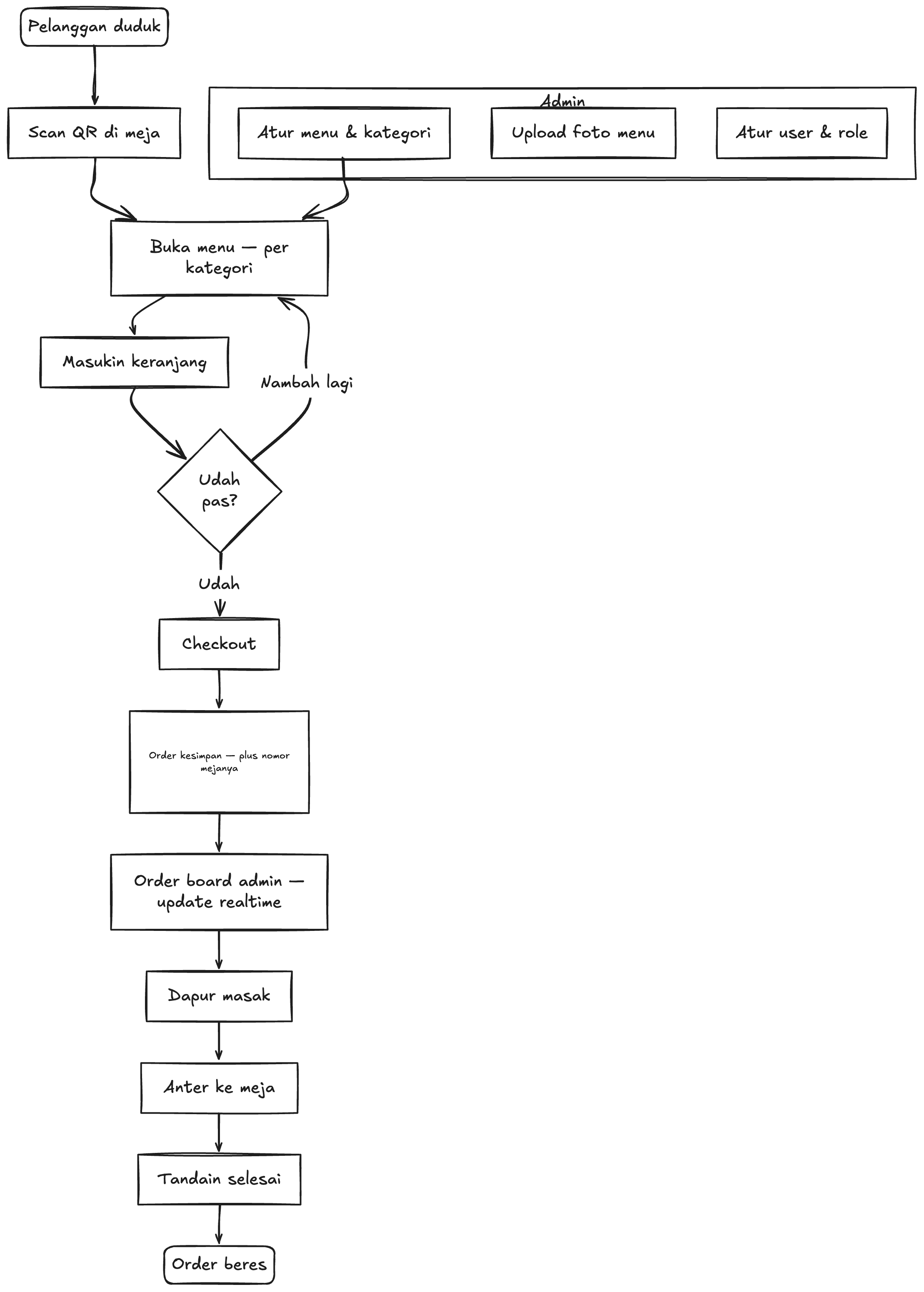
A small kitchen loses time walking back and forth to take orders. Here the table does it: each table has its own QR, the customer orders from their phone, and the admin board updates the moment an order is placed. No refresh, no shouting across the room.
What it does
- A QR per table, so an order always knows where it belongs.
- Menu browsing, cart and checkout on the customer's own phone.
- Admin order board that updates live as orders come in.
- Menu management with image upload and category grouping.
How it fits together
- Step 1Table QR
- Step 2Order
- Step 3PostgreSQL
- Step 4Admin board
Diagrams
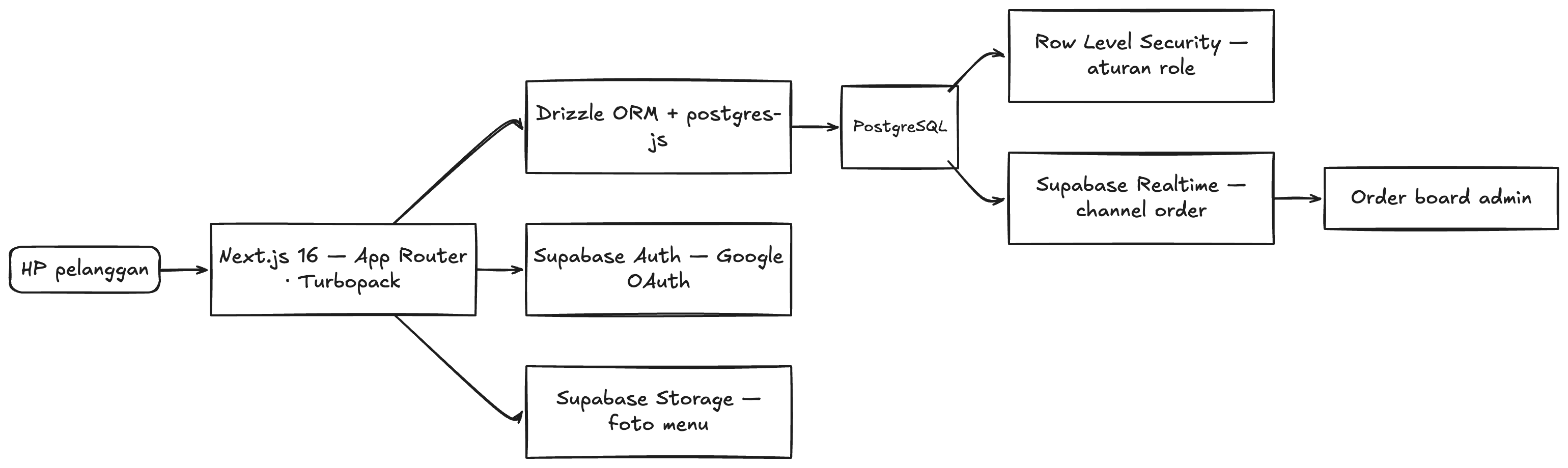
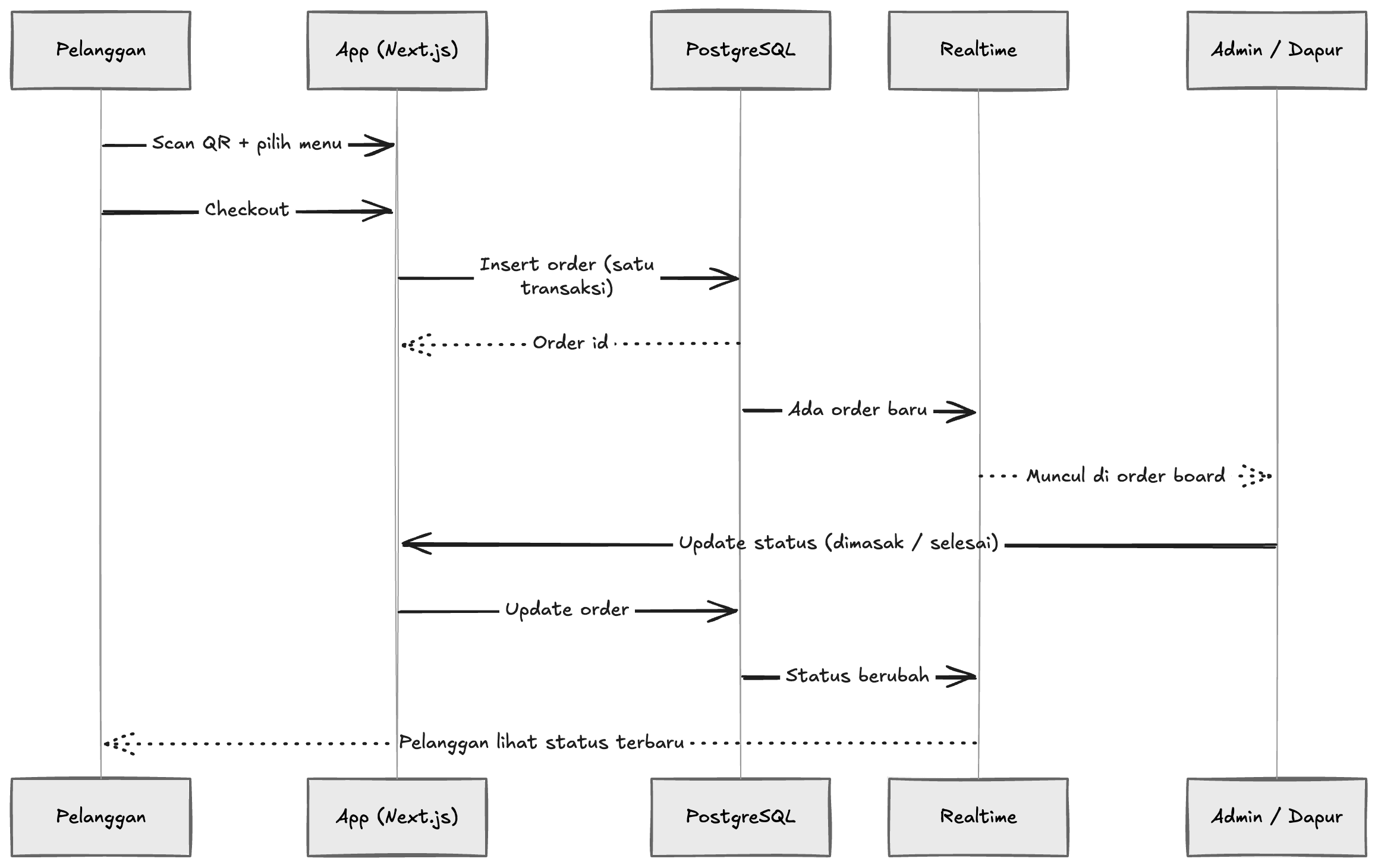
How the product behaves, and how the pieces behind it talk to each other.
Stack
- Next.js 16 (App Router, Turbopack)TypeScript
- Tailwind CSS v4shadcn/ui
- PostgreSQLDrizzle ORMpostgres-js
- Supabase Auth (Google)Supabase StorageSupabase Realtime
Worth noting
- Orders are written in a transaction, so a cart never half-lands when something fails.
- The admin board listens on a realtime channel instead of polling for new orders.
- Row-level security backs the role rules, so the database refuses what the UI hides.
Next up
- Payment gateway integration (Midtrans or Xendit).
- A dynamic QR per transaction instead of a static one per table.